
Opening an account with cashedcasino connexion au compte in France is a straightforward process, but knowing what to expect before you start will save time and steer clear of common mistakes. Starting from confirming your eligibility to undergoing identity verification, this guide covers the full account creation journey. We detail precisely what information you are required to provide, how our security checks function, and what to do if something malfunctions during registration or login. The objective is to get you from the sign-up screen to your first session quickly and without issues.
Account Security Best Practices for Players in France
Ensuring your Cashed Casino account secure needs a blend of secure passwords and attentive online routines. Use a distinct password that you do not reuse on any other site, and refresh it periodically. Activate two-factor authentication as an further safeguard. Never sharing your login credentials with anybody, like friends or family contacts. Cashed Casino support team will never ask you for your full password, so consider any demand for it as a phishing attempt.

Watch out for phishing emails that copy casino correspondence. Check the sender address carefully before clicking any URL. Legitimate messages from us originate from the domain listed on the authorized Cashed Casino webpage. Phishing emails often use deceptive domains with minor spelling differences, such as an additional letter or a alternative top-level domain. If uncertain, do not click the URL. Rather, start your browser and type the casino address directly, then log in to view your account notifications.
Finally, track your account activity on a regular basis. Many online casinos, including Cashed Casino, feature a login history or recent activity section in the account settings. Check this at regular intervals to verify that all logins are yours. If you spot an unknown login from a different device or area, reset your password at once and contact support. Log out after each visit, particularly if you play on a public or communal computer. These habits significantly minimize the likelihood of account breach.
Details You Should Have Ready Before Getting Started
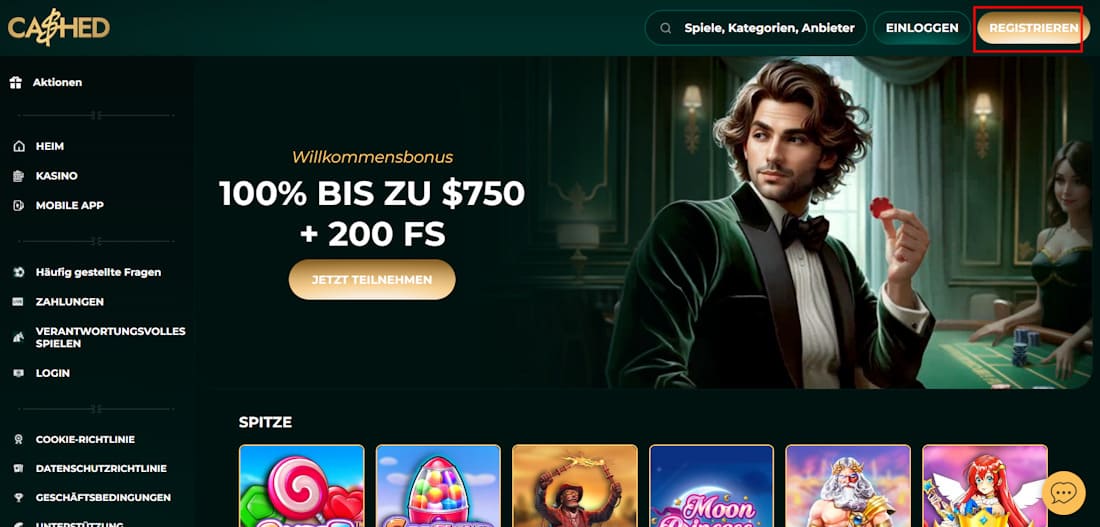
Having the required details available makes the sign-up form far quicker to fill out. You should provide your full legal name precisely as it is shown on your government-issued ID. We also require your date of birth, a valid email address, and your mobile phone number. The email address counts because it acts as the primary way for account notifications, verification links, and security alerts. Pick an address you review frequently and maintain access to it secure.
Your residential address is another required field. This must be your current home address in France, with street name, house number, postal code, and city. The address you input must match the address displayed on any document you later submit for verification. Discrepancies between the registration form and your proof of address are some of the most common reasons of delayed verification, so enter the details carefully.
You will also set up a strong password during registration. A good password has at least eight characters and uses upper and lower case letters, numbers, and symbols. Stay away from using easily guessed information such as your name, birth date, or the word “password.” We advise using a password manager to generate and save a unique password for your Cashed Casino account. Never use again a password from any other site, particularly your email or banking accounts.
What to Expect After Your Account Is Active
Once your account is established and validated, you can access the complete selection of games and payment options offered to players in France. You are not expected to deposit immediately after registration. You may browse the game library, check the payment methods, and modify your account settings first. When you are set to play, pick a deposit method from the cashier section. The minimum and maximum limits are listed on the deposit page, and processing times vary by method.
Your account includes responsible gambling tools that you can activate at any time. Deposit limits, session time reminders, and self-exclusion options are accessible in the responsible gambling section of your account settings. These tools are designed to help you keep control over your play. Setting a deposit limit when you first create your account is a practical way to set a budget before you begin. You can change these settings later, with cooling-off periods that avoid impulsive changes.
Finally, maintain your contact details up to date so that you receive important account notifications, security alerts, and information about changes to our terms. We dispatch occasional messages to our players in France about maintenance windows, new features, and account-related updates. These messages are transmitted by email and, if you opt in, by SMS. Updating your details after a move or phone number change ensures that your account remains reachable and secure over the long term.
Enabling Two-Factor Authentication for Sign-In Security
Two-factor authentication, or 2FA, adds a extra layer of safeguarding to your Cashed Casino account. After you provide your email and password, you are asked to confirm your identity using a one-time code. This code is generated by an authenticator app on your phone or transmitted by SMS. Even if someone learns your password, they cannot log in without also having access to your phone. We strongly recommend enabling 2FA immediately after setting up your account.
To configure 2FA, access the security section of your account settings after your first login. Pick the authenticator app option if you utilize an app such as Google Authenticator or Authy. The system displays a QR code that you capture with the app, which then produces a six-digit code every 30 seconds. Enter the current code to confirm the setup. From that point on, each login demands a fresh code. Keep the backup codes given in a safe place in case you lose your phone.
If you opt for SMS-based 2FA, the code is delivered to your registered mobile number each time you log in. This method is handy but depends on mobile network coverage. If you journey outside France or modify your phone number, update your details in the account settings before you travel. Lacking access to both your email and your phone can greatly delay account recovery. Maintain your contact details current to avoid being locked out.
Understanding the User Verification and KYC Workflow
After sign-up, your account assumes a restricted condition until identification verification is completed. This workflow is referred to as Know Your Customer, or KYC, and it is mandated by French and European anti-money laundering regulations. Authentication commonly requires submitting a duplicate of a current government-issued photo ID, such as a official ID, national identity card, or driving license. The paper must be clear, fully viewable, and not outdated. Blurry pictures or papers with cut-off sides will be rejected and must be uploaded anew.
Proof of address is usually needed as well. This can be a utility bill, bank document, or official government notice issued within the last three months. The file must indicate your full complete name and present address, and those information must align with the data on your sign-up form. We cannot accept mobile phone bills or handwritten documents in most situations. The review workflow is frequently completed within a few hours, but during high-traffic intervals it may require up to 48 hours.
In some situations, we may ask for a verification of your deposit means. For instance, if you add money by card, you may be required to supply a image of the card showing only the last four digits and your name, with the middle digits hidden. This protects both you and the platform from unauthorised card usage. You can send all documents through the protected document interface in your account options. Do not send identity documents by electronic mail, as e-mail is not a protected means for sensitive data.
How Login Works and How to Recover a Forgotten Password
Logging in to Cashed Casino requires the email address and password you set during registration. The login button can be found in the top right corner of the page. After entering your credentials, you might be prompted to complete a CAPTCHA challenge or a 2FA step if you have enabled it. These measures block automated attacks and ensure your account protected. If you enter the wrong password multiple times, your account may be temporarily locked for security. Wait a few minutes before retrying.
If you forget your password, tap the “Forgot password” link on the login screen. Type the email address associated with your account, and we will dispatch a password reset link to that address. The link is valid for a limited time, usually 30 minutes, and can be used only once. After clicking the link, you may set up a new password. Make sure your new password is different from the previous one and satisfies the strength requirements mentioned earlier.
If you no longer have access to the email address on your account, you are unable to use the automated reset tool. In this situation, get in touch with customer support through the live chat or support email. Our team will walk you through a manual verification process, which may require you to answer security questions or submit identity documents. This process secures your account from unauthorised takeover attempts. Do not create a new account in the meantime, as this may complicate the recovery and trigger duplicate account flags.
Complete Walkthrough of the Registration Form
The registration form is organized into clear sections to keep the process clear. The first section asks for your email address and a password. After you enter these, our system sends a confirmation link to that email address. You need to click this link to verify your account before you can log in. Check your spam or junk folder if the message does not arrive within a few minutes, and designate our sender address as secure to obtain future notifications.
The next section requests your personal details: first name, last name, date of birth, and gender. Type your name exactly as it appears on your passport, national identity card, or residence permit. Abbreviations, nicknames, or shortened forms will cause a mismatch during verification. The date of birth is selected using a drop-down menu or calendar tool to prevent formatting errors between day and month fields, which is a frequent source of failed validation.
The final section requires your address, country of residence, and phone number. Choose France from the country list and enter your address carefully. The postal code must correspond to the city you enter; a common error is putting the correct street but the wrong postal code for the region. The phone number is employed for two-factor authentication and account recovery, so it must be a number you can reach. After checking all fields, send the form to establish your account.
Eligibility Requirements for Players from France
Prior to starting filling out the registration form, ensure you meet the legal requirements to play at Cashed Casino in France. The key condition is age: you need to be at least 18 years old. This is not a recommendation but a mandatory legal condition under French gambling regulations. We check your date of birth during sign-up and may ask for proof of age during the account verification process. Trying to register with an wrong birth date will delay access and could lead to account closure.
You are also required to be physically located in a jurisdiction where online gambling is legal when you play. While our platform is available to players in France, you might be required to confirm your location through your device settings or by supplying a legitimate French residential address. Players are not allowed to use virtual private networks or proxy services to conceal their location. This contravenes our terms and can trigger automatic security locks on the account.
Each player can hold only one account. Duplicate accounts set up to claim multiple welcome offers or to bypass limits are not allowed. Our system checks personal details such as name, date of birth, and address against existing records. If a duplicate is detected, the newest account will be shut down and any bonus balance may be removed. If you have lost your previous login details, utilize the password recovery tool instead of registering again.
Typical Registration and Login Difficulties and Ways to Resolve Them
A very common problems players in France report is failing to get the confirmation email after registration. Before contacting support, look in the spam, junk, and promotions folders in your email client. Include our sender address to your safe list or contacts to make sure future messages land in your inbox. In case the email is absent from all folders, employ the “resend confirmation” option on the login page. This forces our system to send a new activation link to the same address.
A frequent problem is a discrepancy between the registration details and the verification documents. As an illustration, should you register using a shortened version of your first name, such as “Alex” instead of “Alexandre,” the verification will fail. To resolve this, access your account and change your personal details in the account settings before submitting documents. In case the fields are locked after submission, get in touch with support to submit a request for a correction. The support team can make editable the fields after a quick security check.
Users sometimes mention that the login page takes a long time to load or fails to load. This is commonly caused by browser cache or outdated cookies. Remove your browser cache and cookies, then shut down and reopen the browser. Verify your browser is upgraded the latest version. Should the issue persist, test a different browser or device. Disable browser extensions that block scripts or pop-ups, as these can affect the login form. Lastly, verify that your internet connection is reliable and not directed through a VPN or proxy.